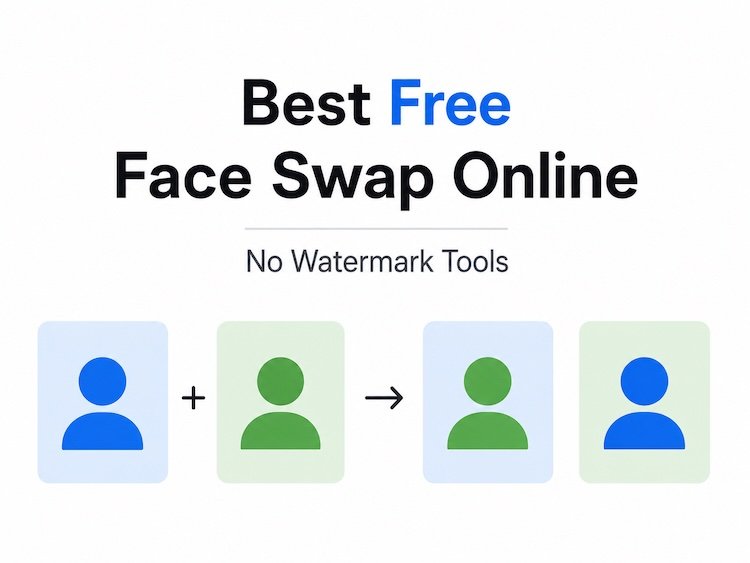
AI face swap technology improved dramatically over the last 18 months. What used to look awkward or obviously fake can now produce cinematic-quality results in minutes — often directly from a browser.
After testing dozens of platforms across short-form video creation, talking photos, lip sync workflows, and image-based swaps, I found that only a handful consistently deliver professional-quality output without heavy restrictions or frustrating watermark policies.
If you are searching for the best free face swap online no watermark tools of 2026, this guide covers the platforms actually worth using.
Some tools prioritize realism. Others focus on speed, templates, API access, or creator workflows. A few try to do everything and end up mediocre. The platforms below stood out because they solved real production problems.
And yes — I guarantee at least one of these tools will fit your workflow.
Best AI Face Swap Tools at a Glance (2026)
| Tool | Best For | Face Swap Quality | Video Support | Free Plan | Watermark-Free Option | Platforms |
| Magic Hour | Overall creator workflows | Excellent | Yes | Yes | Yes | Web, Mobile |
| Akool | Enterprise avatars | Very Good | Yes | Limited | Paid | Web |
| HeyGen | Talking avatars | Excellent | Yes | Limited | Paid | Web |
| Remaker AI | Fast image swaps | Good | Partial | Yes | Partial | Web |
| FaceFusion | Open-source control | Excellent | Yes | Free | Yes | Desktop |
| Vidnoz AI | Social media creators | Good | Yes | Yes | Limited | Web |
| Deepswap | Batch processing | Very Good | Yes | Trial | Paid | Web |
| Reface | Casual mobile creators | Good | Yes | Yes | Partial | iOS, Android |
| Pica AI | Portrait enhancement | Good | Limited | Yes | Paid | Web |
| Swapface | Live streaming swaps | Very Good | Real-time | Free | Yes | Desktop |
Why Face Swap Tools Matter More in 2026
AI-generated content is no longer a novelty. According to McKinsey & Company, generative AI adoption accelerated sharply across media, advertising, and creator businesses during 2025.
What changed this year is usability.
The best tools now combine:
- Face swap
- Lip sync
- Talking photos
- Video generation
- Upscaling
- Editing workflows
- API automation
…inside one interface.
That matters because creators no longer want five disconnected apps.
They want one workflow that moves from concept to publish-ready asset quickly.
1. Magic Hour — Best Overall AI Face Swap Platform
If you only test one platform from this list, make it Magic Hour.
I spent the most time with Magic Hour because it consistently delivered the best balance between realism, speed, usability, and production readiness.
The biggest differentiator is that the platform feels designed by people who actually create content daily. The workflow friction is unusually low.
You can test the platform immediately using their free face swap online no watermark tool without creating an account.
That alone removes a huge barrier compared to competitors that lock previews behind signup walls.
What Makes Magic Hour Different
Magic Hour combines several advanced tools into a unified workflow:
- AI face swap
- AI lip sync
- Talking photos
- Video generation
- Upscaling
- Template-driven editing
- Multi-step generation pipelines
The “generate → enhance → animate” workflow feels especially polished.
I also noticed that render consistency stayed strong even during longer clips, which is where many competitors struggle.
Pros
- Excellent face realism
- No signup required for testing
- Very generous free tier
- Credits never expire
- Parallel generations supported
- Strong desktop and mobile optimization
- Fast render times
- Full API parity across tools
- Frequent feature releases
- High-quality lip sync integration
Cons
- Advanced workflows may feel overwhelming initially
- Some premium models require higher-tier plans
- Heavy rendering projects still consume credits quickly
Evaluation
If your work involves social video, creator content, marketing assets, or rapid experimentation, this platform is hard to beat.
Most importantly, Magic Hour feels production-ready rather than experimental.
A lot of AI tools still feel like demos. This one does not.
Pricing (As of May 2026)
- Free Plan available
- Creator: $15/month or $10/month billed annually
- Pro: $39/month
- Enterprise pricing available
You can also explore another free face swap online no watermark workflow specifically optimized for video projects.
2. Akool — Best for Enterprise Marketing Teams
Akool focuses heavily on enterprise AI media workflows.
The platform is particularly strong for multilingual marketing campaigns and avatar-based communication.
Pros
- Strong enterprise infrastructure
- Good localization support
- Professional avatar workflows
- API integrations available
Cons
- Less creator-focused
- Free tier is restrictive
- Higher learning curve
Evaluation
Akool works best for agencies and enterprise teams rather than solo creators.
If you need scalable avatar production or multilingual content pipelines, it deserves consideration.
Pricing
- Limited free trial
- Paid plans start around $30/month
3. HeyGen — Best for AI Talking Avatars
HeyGen continues to dominate the AI avatar category.
Its facial animation quality is excellent, especially for presenter-style content.
Pros
- High-quality talking avatars
- Excellent voice syncing
- Good presentation templates
- Business-friendly workflows
Cons
- Face swap flexibility is narrower
- Pricing climbs quickly
- Limited experimentation on free plan
Evaluation
If your primary goal is presenter videos or AI spokesperson content, HeyGen remains one of the strongest platforms available.
Pricing
- Free trial
- Creator plans start around $29/month
4. Remaker AI — Best Lightweight Browser-Based Option
Remaker AI focuses on simplicity.
The interface is minimal, fast, and beginner-friendly.
Pros
- Easy to use
- Fast image processing
- Browser-based
- Low friction onboarding
Cons
- Video support is limited
- Realism can vary
- Fewer advanced controls
Evaluation
For quick image swaps or meme-style edits, Remaker works surprisingly well.
I would not rely on it for polished commercial video campaigns, but for rapid social experimentation, it is useful.
Pricing
- Free tier available
- Credit-based paid plans
5. FaceFusion — Best Open-Source Option
FaceFusion is one of the most impressive open-source face swap projects available today.
It requires more setup, but the control level is excellent.
Pros
- Completely customizable
- Strong video processing
- Free to use
- Active developer community
Cons
- Technical setup required
- No hosted cloud workflow
- Hardware demands can be high
Evaluation
Developers and technical creators will appreciate the flexibility here.
If you want local processing and total control, FaceFusion is worth testing.
Pricing
- Free
6. Vidnoz AI — Best for Social Video Creators
Vidnoz AI combines AI avatars, video editing, and face swap tools in a creator-friendly environment.
Pros
- Good social templates
- Easy onboarding
- Browser-based workflow
- Beginner-friendly
Cons
- Output consistency varies
- Free exports are limited
- Less cinematic realism
Evaluation
Vidnoz works best for fast TikTok-style content creation rather than premium commercial production.
Pricing
- Free plan available
- Paid plans start around $19/month
7. Deepswap — Best for Batch Face Swaps
Deepswap focuses heavily on speed and batch workflows.
Pros
- Fast processing
- Supports batch jobs
- Strong meme/community usage
- Video swap support
Cons
- Interface feels dated
- Limited advanced editing
- Pricing scales quickly
Evaluation
For high-volume experimentation, Deepswap still performs well.
I would like to see stronger editing refinement tools in future updates.
Pricing
- Trial available
- Paid subscriptions required for full exports
8. Reface — Best Mobile Experience
Reface remains one of the most recognizable consumer AI face swap apps.
Pros
- Excellent mobile UX
- Fast rendering
- Large template library
- Easy sharing
Cons
- More entertainment-focused
- Limited professional controls
- Watermarks on free exports
Evaluation
Reface is still fun and polished, but professionals will likely outgrow it quickly.
Pricing
- Free plan available
- Premium subscription required for full functionality
9. Pica AI — Best for Portrait-Oriented Workflows
Pica AI specializes in portrait enhancement and photo-based generation.
Pros
- Strong portrait enhancement
- Good selfie optimization
- Fast rendering
Cons
- Limited video depth
- Smaller workflow ecosystem
- Less suited for long-form content
Evaluation
If your work centers around portraits, thumbnails, or profile imagery, Pica AI performs well.
Pricing
- Free tier available
- Paid credits available
10. Swapface — Best for Live Streaming
Swapface targets streamers and live content creators.
Pros
- Real-time swapping
- Streaming integrations
- Desktop performance
- Good latency optimization
Cons
- Smaller ecosystem
- Less polished UI
- Requires stronger hardware
Evaluation
Live face swapping remains technically difficult, but Swapface handles it surprisingly well.
Pricing
- Free desktop version
- Optional premium upgrades
How I Chose These AI Face Swap Tools
I tested these platforms across four core scenarios:
- Static image face swaps
- Short-form vertical videos
- Talking photo generation
- Lip sync and expression retention
I also evaluated:
- Rendering speed
- Facial consistency
- Realism under motion
- Export quality
- Watermark policies
- Mobile usability
- API availability
- Pricing efficiency
Most importantly, I tested whether these tools felt reliable during repeated production use.
That matters more than flashy demos.
Some platforms looked impressive initially but broke down during longer projects or higher-resolution exports.
AI Face Swap Trends Shaping 2026
Several trends became obvious while testing these platforms.
1. Workflow Consolidation
Standalone face swap apps are fading.
The strongest tools now combine:
- Video generation
- Lip sync
- Voice AI
- Upscaling
- Templates
- Editing pipelines
Magic Hour is probably the clearest example of this shift.
2. Real-Time Generation Is Improving
Latency has dropped significantly.
Live streaming swaps, interactive avatars, and instant social content creation are becoming realistic for mainstream creators.
3. APIs Are Becoming Essential
Developers increasingly want face swap infrastructure, not just consumer apps.
Platforms with strong API support will likely dominate enterprise adoption.
4. Watermark-Free Free Plans Are Becoming a Competitive Advantage
Users are tired of testing tools that heavily restrict exports.
Generous free tiers are becoming a major differentiator.
Final Takeaway
Here is the simplest breakdown:
- Best overall: Magic Hour
- Best enterprise option: Akool
- Best talking avatars: HeyGen
- Best open-source platform: FaceFusion
- Best mobile app: Reface
- Best live streaming tool: Swapface
If you care about production-ready workflows, realistic output, and creator efficiency, Magic Hour currently leads the category.
Its combination of face swap quality, lip sync, workflow design, pricing value, and free access stands out in a crowded market.
That said, the best tool still depends on your workflow.
Experiment with multiple platforms before committing long-term.
AI video tooling is evolving incredibly fast, and the gap between platforms changes every few months.
Also Read: The Future of Travel Apps: Trends to Watch
FAQ
What is the best free face swap online no watermark tool in 2026?
Magic Hour currently offers one of the strongest free no-watermark experiences, especially for creators working with video and talking-photo workflows.
Are AI face swap tools legal to use?
Generally yes, but usage depends on local laws, consent requirements, copyright considerations, and platform policies. Commercial usage requires extra caution.
Which AI face swap tool is best for video creators?
Magic Hour, HeyGen, and Deepswap currently offer some of the strongest video-focused workflows.
Do free AI face swap tools reduce image quality?
Some do. Many platforms restrict export resolution or apply compression on free plans. Higher-end tools typically reserve HD exports for paid tiers.
Which face swap tool is best for developers?
FaceFusion is excellent for open-source flexibility, while Magic Hour offers strong API parity for production workflows.